
Home Binder: What Every Homeowner Should Include
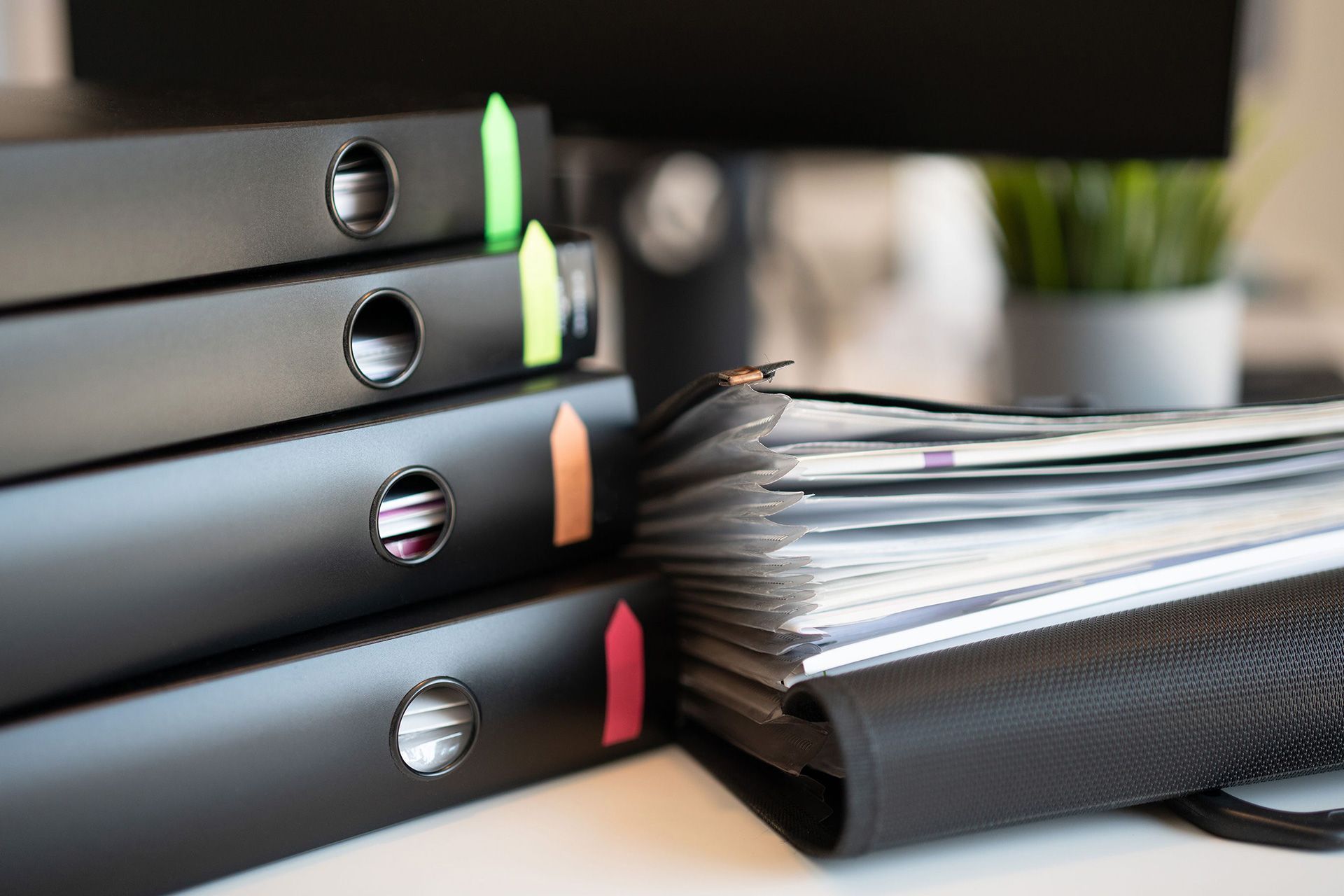
Owning a home comes with a surprising amount of paperwork. Inspection reports, appliance manuals, warranties, repair invoices, insurance documents, paint colors, contractor contacts, and maintenance records can quickly end up scattered across drawers, email accounts, and storage boxes.
A home binder gives all that information one organized place to live.
It can help you find a water heater model number before calling for service, remember when the HVAC system was last maintained, locate your original home inspection report, or provide documentation when planning repairs.
The best binder is not complicated. It should contain information you are likely to need while owning, maintaining, improving, or eventually selling your home.
Here is what every homeowner should consider including.
What Is a Home Binder?
A home binder is an organized record of important information about your property.
It may be a physical three-ring binder, a secure digital folder, or a combination of both.
Think of it as the owner's manual for your house.
Instead of searching through old emails whenever something breaks, you can keep important records organized by category.
A useful binder might answer questions such as:
- When was the roof replaced?
- What size HVAC filter does the system use?
- Who installed the water heater?
- Is an appliance still under warranty?
- Where is the main water shutoff?
- When was the last termite inspection?
- What paint color was used in the living room?
- Where is the original home inspection report?
- Which contractor completed a previous repair?
The goal is not to save every piece of paper associated with the house. The goal is to keep information that can make homeownership easier.
Why Every Homeowner Should Have a Home Binder
A well-organized property record becomes more useful the longer you own the home.
It Makes Maintenance Easier
Home systems need regular attention.
Without records, it is easy to forget when an HVAC system was serviced, when filters were replaced, or when the roof was repaired.
Keeping maintenance dates together creates a simple history of the property.
It Helps During Repairs
Imagine discovering water beneath the kitchen sink.
Instead of searching through old emails for the plumber who completed previous work, you can open your binder and find the contractor information immediately.
The same principle applies to electricians, HVAC contractors, roofers, pest-control companies, and other service providers.
It Keeps Warranty Information Available
Warranties are difficult to use if you cannot find them.
Keep purchase dates, receipts, warranty documents, model numbers, and contact information together for major systems and appliances.
It Creates a History of the Home
Over several years, homeowners may replace equipment, remodel rooms, complete repairs, and make other improvements.
A home binder allows you to create a timeline of those changes.
That history can be useful when planning future maintenance or explaining previous work to professionals.
1. Start With Your Home Inspection Report
Your original home inspection report is one of the most useful documents to keep.
Many buyers review the report closely during the purchase and then rarely open it again after moving in.
That is a missed opportunity.
The report may include information about:
- Roofing
- Foundation
- Structure
- Electrical components
- Plumbing
- HVAC systems
- Attic conditions
- Insulation
- Ventilation
- Exterior drainage
- Windows and doors
- Visible maintenance concerns
Keep the original report along with records showing which recommended repairs were completed.
For example, if the home inspection identified a plumbing leak and a licensed plumber later repaired it, keep the repair invoice with that section.
Over time, your original inspection report can become the starting point for a valuable property-maintenance history.
2. Keep Important Property Documents
Create a section for records related to the property itself.
Depending on your situation, these may include:
- Purchase documents
- Property survey
- Title-related records
- HOA documents
- Building plans
- Permits
- Renovation documentation
- Septic records
- Well records
- Solar installation records
You may not need these documents frequently, but having them organized can save time when
planning improvements, refinancing, selling, or researching previous work.
Avoid keeping irreplaceable original legal documents in an easily accessible household binder if they require more secure storage.
A copy may be sufficient for everyday reference.
3. Record Major Home Systems
Create a separate section for the important systems that keep your home operating.
These may include:
HVAC System
Record:
- Manufacturer
- Model number
- Serial number
- Installation date if known
- Filter size
- Filter replacement schedule
- Service history
- Contractor information
- Warranty details
Water Heater
Include:
- Manufacturer
- Model
- Serial number
- Installation date
- Warranty
- Previous repairs
- Service information
Electrical System
Useful information may include:
- Electrical panel location
- Main disconnect location
- Notes about major electrical work
- Electrical contractor contact information
- Permits for significant upgrades
Do not attempt to perform electrical work based only on notes in the binder. Electrical repairs should be handled by an appropriate qualified professional.
Plumbing System
Record useful information such as:
- Main water shutoff location
- Water heater shutoff
- Plumber contact information
- Previous leaks
- Repiping work
- Sewer repairs
- Water treatment equipment
- Well equipment when applicable
Knowing where the main water shutoff is located can be especially helpful when a plumbing problem occurs.
4. Organize Appliance Information
Appliance manuals have a habit of disappearing.
Create a section for major household appliances such as:
- Refrigerator
- Dishwasher
- Oven
- Range
- Washing machine
- Dryer
- Garbage disposal
- Built-in microwave
For each appliance, record:
- Brand
- Model number
- Serial number
- Purchase date
- Installation date
- Warranty expiration
- Service history
Taking a clear photograph of the manufacturer's data label can make future parts searches and service calls much easier.
Digital copies work especially well for this section because appliance manuals can take up considerable space.
5. Add Warranties and Receipts
Keep warranties for major systems, appliances, roofing work, windows, solar equipment, and other significant improvements.
Attach or store the related purchase receipt when available.
Organize warranties by category instead of placing everything into one large pocket.
For example:
HVAC Warranties
Appliance Warranties
Roofing Warranty
Window Warranty
Contractor Workmanship Warranties
It is also helpful to record expiration dates.
You do not want to discover that a repair may have been covered only after the warranty has expired.
6. Build a Home Maintenance Log
A maintenance log can become one of the most valuable parts of your home binder.
It does not need to be complicated.
Create columns for:
Date | System | Work Completed | Contractor | Notes
Record work such as:
- HVAC servicing
- Roof repairs
- Plumbing repairs
- Electrical work
- Water heater replacement
- Termite treatment
- Sewer service
- Drain cleaning
- Exterior painting
- Window replacement
- Appliance repairs
Over time, the log provides a simple picture of how the house has been maintained.
It can also reveal repeated problems.
For example, several plumbing repairs in the same area may deserve a closer look rather than another temporary fix.
7. Keep Contractor Information
Most homeowners eventually build a list of service professionals they trust.
Create one page with contacts for your:
- Plumber
- Electrician
- HVAC contractor
- Roofer
- Pest-control company
- Landscaper
- Handyman
- Appliance technician
- Chimney specialist
- Pool service company
- Garage door contractor
Include the company name, phone number, email, type of work completed, and date of service.
Keeping this information organized eliminates the need to search through old text messages when you need help quickly.
8. Create a Home Inventory
A home inventory is different from a maintenance record.
It documents personal property inside the home.
Consider recording significant belongings by room, including information such as:
- Item description
- Brand
- Model
- Serial number
- Purchase date
- Receipt
- Photograph
The National Association of Insurance Commissioners recommends documenting important information about belongings and keeping photos as part of a home inventory because the records can be useful when dealing with an insurance loss.
You may prefer to keep detailed inventory photographs and receipts in secure digital storage rather than filling a physical binder.
9. Include Insurance Information
Keep quick-reference information for your homeowners insurance.
That might include:
- Insurance company
- Agent contact information
- Policy number
- Policy renewal date
- Current declarations page
- Home inventory location
Do not assume the binder itself should be the only place where important insurance documents exist.
A secure digital backup can be valuable if physical documents are damaged or inaccessible.
10. Record Utility Shutoff Locations
Every homeowner should know how to locate important utility controls.
Your binder can include photographs and written descriptions showing where to find:
- Main water shutoff
- Electrical service panel
- Main electrical disconnect
- Gas shutoff, when applicable
- Irrigation shutoff
Keep instructions simple.
The purpose is to help household members locate important components quickly, not to encourage anyone to perform work they are not qualified to handle.
11. Keep Paint Colors and Finish Details
This section sounds minor until you need to touch up one wall.
Record:
- Room
- Paint manufacturer
- Color name
- Color code
- Finish
- Date painted
You can also keep information about:
- Flooring
- Tile
- Countertops
- Cabinet finishes
- Grout colors
- Exterior paint
- Roofing materials
A photograph of the product label can be more useful than trying to remember the exact color several years later.
12. Add Emergency and Household Information
A small emergency-reference section can also be useful.
Ready.gov recommends organizing important household and emergency information so essential records can be accessed when needed.
Consider including:
- Insurance contact
- Utility emergency numbers
- Trusted contractors
- HOA or property management contact
- Emergency meeting information
- Location of important shutoffs
Sensitive financial, identity, or medical documents should be stored securely rather than left in an easily accessible binder.
13. Make a Binder for Your Home Network Information
Modern homes also depend on internet-connected equipment.
If you want to make a binder for your home network, create a simple technology section that helps you understand the equipment without exposing sensitive passwords.
Include information such as:
- Internet service provider
- Provider support number
- Router manufacturer
- Router model
- Modem model
- Equipment installation date
- Location of networking equipment
- Smart-home hub information
- Mesh Wi-Fi equipment
- Security camera equipment
- Smart thermostat information
You can also record which rooms contain network equipment or wired connections.
Do Not Write Passwords in an Easily Accessible Binder
Avoid storing your Wi-Fi password, banking passwords, alarm codes, router administrator credentials, or other sensitive login information in a binder that contractors, visitors, or other people could easily access.
Use a reputable password manager or another secure method for credentials.
Your binder should tell you what equipment you have and where it is, not become a collection of exposed passwords.
Paper Home Binder or Digital Home binder?
Both approaches can work.
A physical binder is easy to open, does not require a device, and works well for documents you frequently reference.
Digital storage makes searching, copying, updating, and backing up records easier.
For many homeowners, the best solution is a hybrid approach.
Keep in the Physical Binder
Good candidates include:
- Maintenance checklist
- Contractor list
- Filter sizes
- Paint colors
- Shutoff locations
- Copies of warranties
- Home inspection summary
Keep Digitally
Digital storage may be better for:
- Full inspection report
- Appliance manuals
- Photographs
- Receipts
- Home inventory
- Renovation photos
- Large plans
- Scanned permits
Whether you call it a home binder, home file, property record, or even a digital homebinder, the organizational system matters more than the name.
How to Organize Your Home Binder
You do not need to spend an entire weekend building it.
Start with a basic binder and dividers.
A simple setup could include:
- Home Inspection
- Property Documents
- Home Systems
- Appliances
- Warranties
- Maintenance
- Contractors
- Insurance
- Home Inventory
- Utilities
- Paint and Finishes
- Home Network
Add documents as you find them.
The most important habit is keeping the system updated.
If the water heater is replaced, update the binder.
If the roof is repaired, add the invoice.
If you repaint a bedroom, record the new color.
If you change HVAC contractors, update the contact page.
A binder that is updated gradually is much easier to maintain than one that is rebuilt every few years.
Use Your Home Inspection as the Starting Point
New homeowners already have a useful document for beginning this process: the home inspection report.
Use the report to identify the home's major systems and components.
Then add records as repairs and maintenance occur.
For example:
Inspection finding: Aging water heater.
Later update: Water heater replaced.
Binder record: New model number, serial number, installer, warranty, and installation date.
Over time, you turn a one-day inspection report into an ongoing history of the property.
Keep Better Records for a Better-Managed Home
A home binder does not prevent repairs or eliminate maintenance, but it can make managing a home much easier.
By organizing your inspection report, warranties, appliance information, maintenance history, contractor contacts, insurance records, utility details, home inventory, and network equipment information, you create a practical reference you can use throughout your time in the property.
Start with the documents you already have. You can build the rest gradually.
If you are purchasing a home in Southern California, your professional home inspection is an excellent place to begin that record. Green Valley Inspections provides detailed home inspections that help buyers understand the visible and accessible condition of major property systems and components. Contact Green Valley Inspections to schedule your home inspection and start homeownership with clearer information about the property you are buying.
Frequently Asked Questions
What should I put in a home binder?
Include your home inspection report, maintenance records, appliance details, warranties, contractor contacts, insurance information, utility shutoff locations, property documents, home inventory, paint colors, and other records that help you manage the property.
Should I keep my original home inspection report?
Yes. Your inspection report can serve as a useful reference for the condition of major systems when you purchased the home. You can add repair invoices and maintenance records as recommendations are addressed.
Should a home binder be paper or digital?
Either can work. Many homeowners may find a combination most practical. Keep frequently used reference sheets in a physical binder while storing photographs, receipts, manuals, and larger documents securely online.
Should passwords be kept in a home network binder?
Avoid writing sensitive passwords, alarm codes, or administrator credentials in an easily accessible household binder. Keep network equipment information in the binder and store passwords through a more secure method.
How often should I update my home binder?
Update it whenever significant maintenance, repairs, replacements, renovations, or equipment changes occur. Reviewing it once or twice a year can also help you remove outdated records.
Why should homeowners keep a maintenance history?
A maintenance history helps you remember when work was completed, who performed it, and whether a problem has happened before. It can also make future service calls easier because you have previous records available.
Can a home binder help when selling a house?
Organized records can help you quickly locate information about previous maintenance, improvements, warranties, permits, and major systems when questions arise during a future sale. Keep records accurate and avoid using the binder as a substitute for required disclosures or professional evaluations.
Disclaimer: The information on this website and blog is for general informational purposes only and is not professional advice. We make no guarantees of accuracy or completeness. We disclaim all liability for errors, omissions, or reliance on this content. Always consult a qualified professional for specific guidance.
Search
Certification
Green Valley Inspections is InterNACHI Certified, a Certified Master Inspector, and CCPIA-certified, demonstrating advanced training, extensive experience, professional ethics, and expertise in residential and commercial property inspections across Southern California.



Social Media
Google Reviews

5-star ratings from 440+ clients across Southern California.
Contact Us
Recent Post



Service Areas
We offer home inspection services throughout the following counties: